> For the complete documentation index, see [llms.txt](https://support.hostcli.com/llms.txt). Markdown versions of documentation pages are available by appending `.md` to page URLs; this page is available as [Markdown](https://support.hostcli.com/telegram-bot/register-new-telegram-bot.md).
# Telegram Bot 机器人注册教程
官网 http\://www\.HostCLi.com Telegram群: https\://TG.HostCLi.COM
**宝塔站长群** [**https://TG.HostCLi.COM**](https://TG.HostCLi.COM)
{% content-ref url="/pages/1XLrXsxOoIZmy0fKcU5h" %}
[宝塔面板/云安全监控 - 如何配置Telegram告警通知](/telegram-bot/telegram-bot-notification.md)
{% endcontent-ref %}
Telegram Bot,就是运行在 Telegram 上的可交互的「机器人」,你可以给它发送指令让它完成操作或是实现一些功能(付钱、游戏等等),或者可以在 Channel 或 Group 中发送特定消息。
这是 [官方介绍](https://core.telegram.org/bots)。它的主要原理就是开发者通过调用 [Telegram Bot API](https://core.telegram.org/bots/api) 来实现接收指令、发消息以及实现各种功能。
### 注册
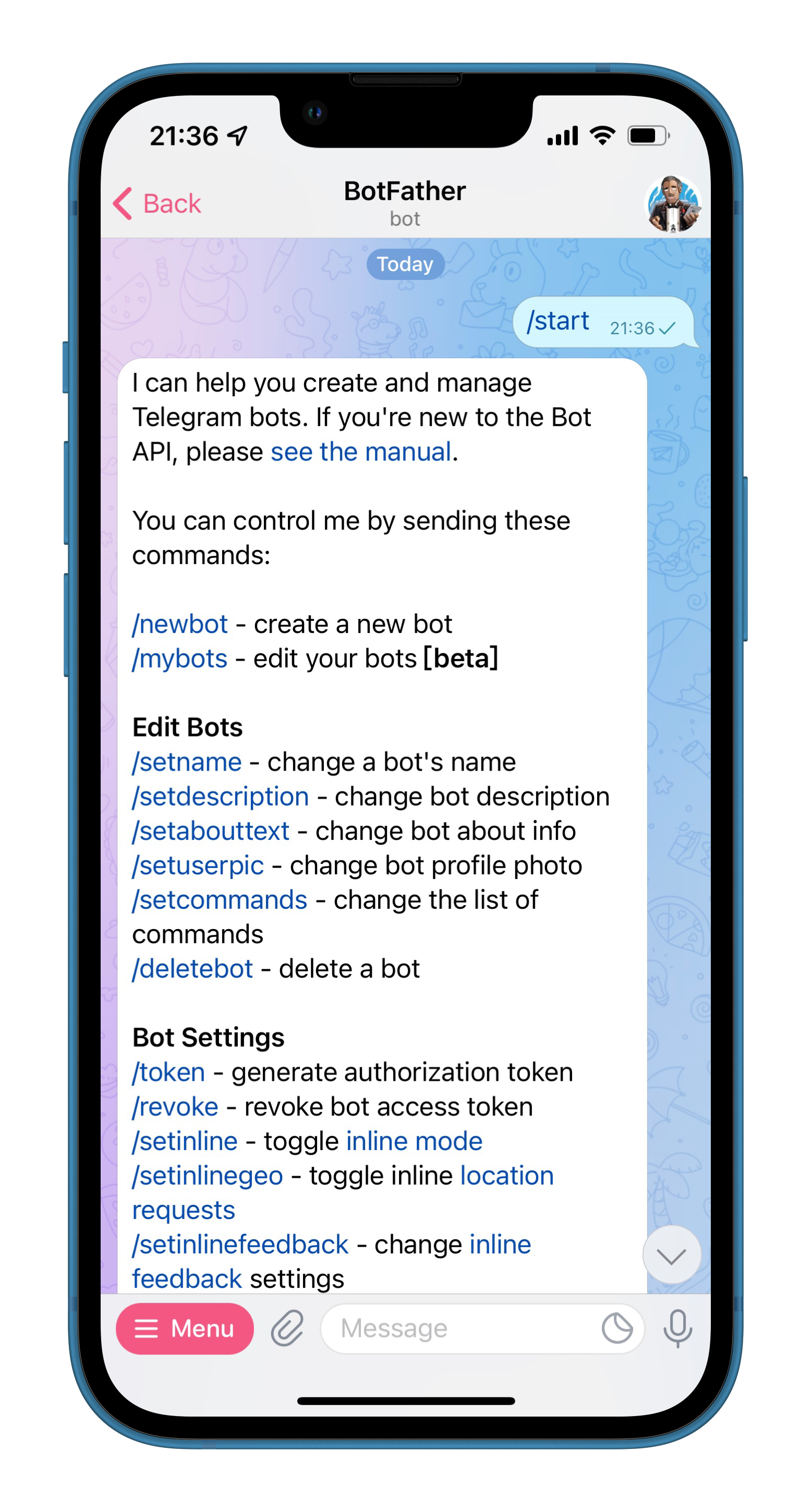
1. 与 [@BotFather](https://t.me/BotFather) 对话,发送指令 `/start` 开始,`/newbot` 申请一个新的 Bot 账号。
接着,BotFather 会要求你输入这个 Bot 的名字和 ID。
创建完成后,BotFather 会同时给你一个 Token,记住这个Token API,前面是数字,中间是冒号,后面是字符串。

接下来,[按照教程获需要发送通知到达的对话窗口ID](/telegram-bot/telegram-bot-notification.md#get-group-id)。
**宝塔站长群** [**https://TG.HostCLi.COM**](https://TG.HostCLi.COM)
End.